



WeChat Binding and Unbinding Related Update Operations
I.WeChat Binding
Domestic suppliers can bind their WeChat accounts by scanning the QR code to receive, review, and quote inquiries directly on WeChat.
● WeChat Binding Instructions:
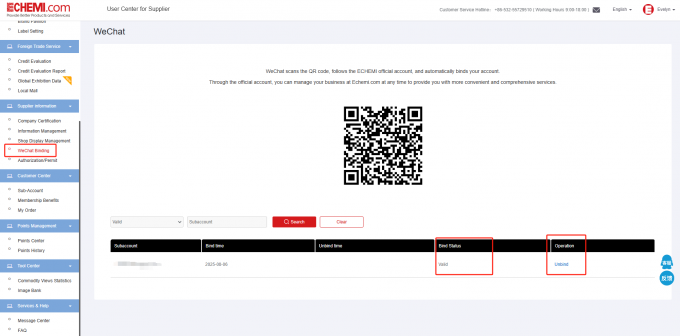
-Find the “WeChat Binding” under "Supplier Information"
-Scan the displayed QR code with WeChat to complete the binding process.
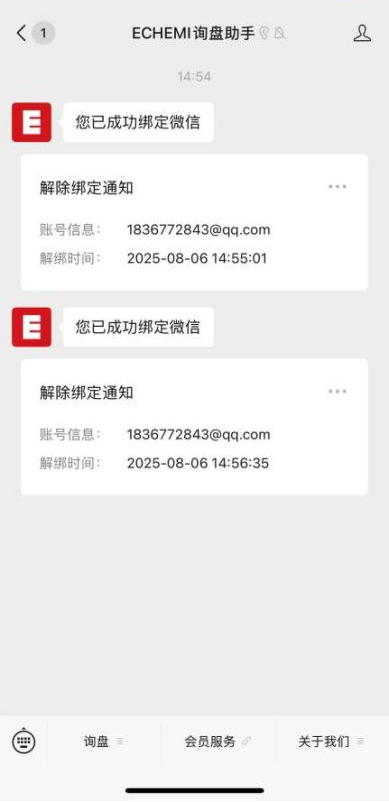
-The message "您已成功绑定微信"indicates that the binding was successful.
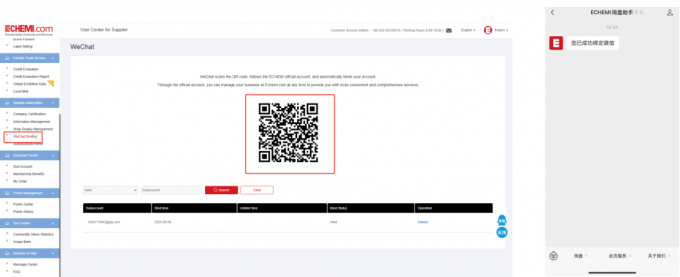
* Non-member users and sub-accounts of member suppliers can also bind their ECHEMI accounts to WeChat using the same method described above.
II.WeChat Binding -----Primary account management permission
ECHEMI platform allows primary accounts to view and manage the WeChat binding status of their sub-accounts.
On the "WeChat Binding" page, primary accounts can filter and view the WeChat binding status of sub-accounts.
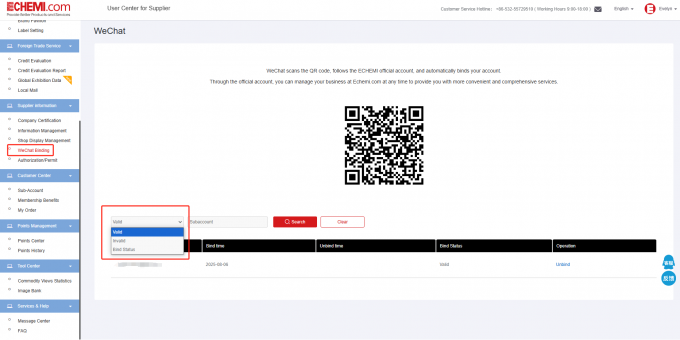
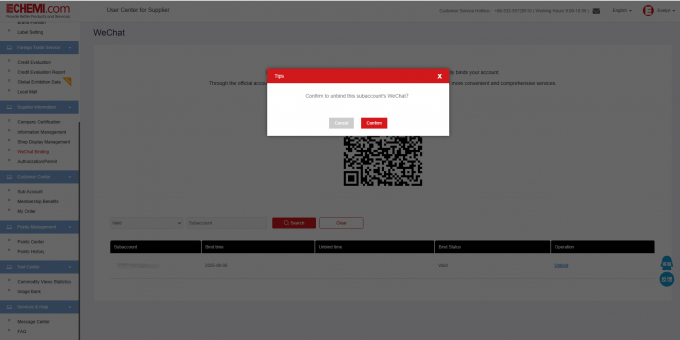
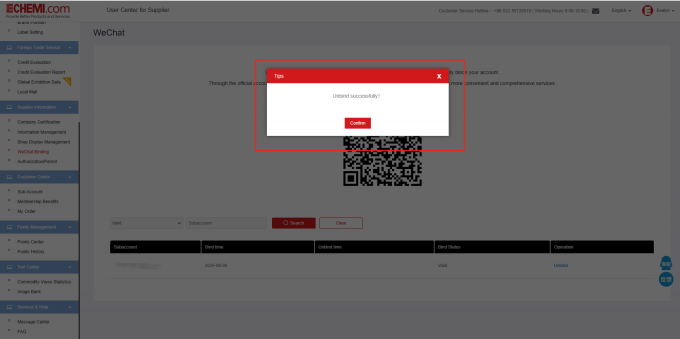
The primary account can unbind sub-accounts linked to WeChat. Upon successful unbinding, the sub-account's WeChat will receive a real-time notification and no longer receive inquiry alerts.
III.Unbind on Mobile
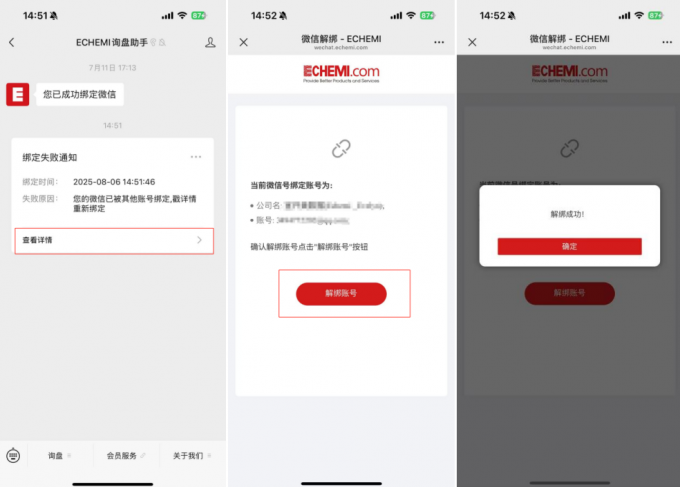
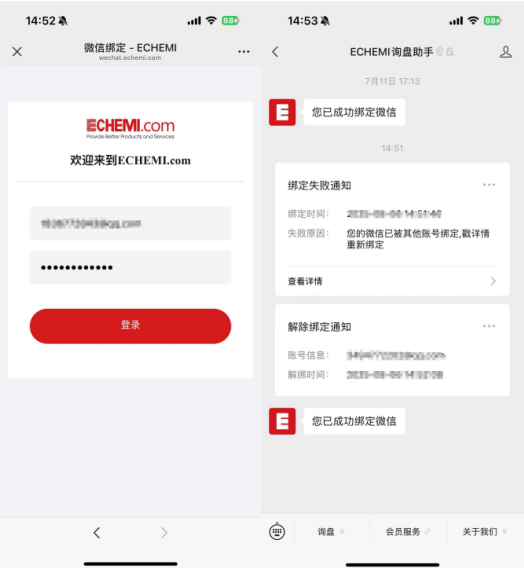
When binding a new ECHEMI account, if your WeChat is already linked to another ECHEMI account, the system will prompt a binding failure. Please unbind the historical account first, then proceed with the new binding. You can directly unbind it via the "View Details" option in the WeChat notification.